

Tuesday Tips – Utilize your Practice List Report
Tuesday Tips – Utilize your Practice List Report
December 1, 2015
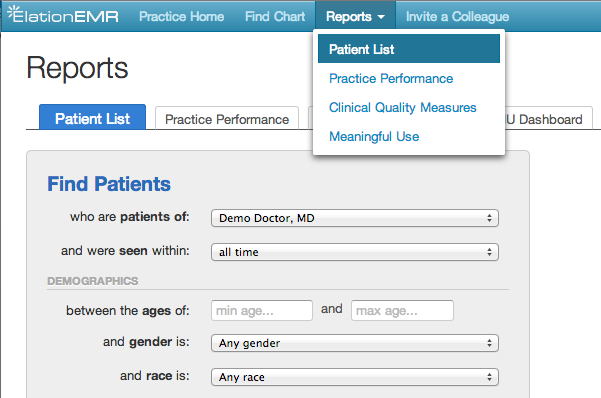
Have you used your Patient List report? Elation has a variety of reports, one of them is designed to help you understand your patient population.
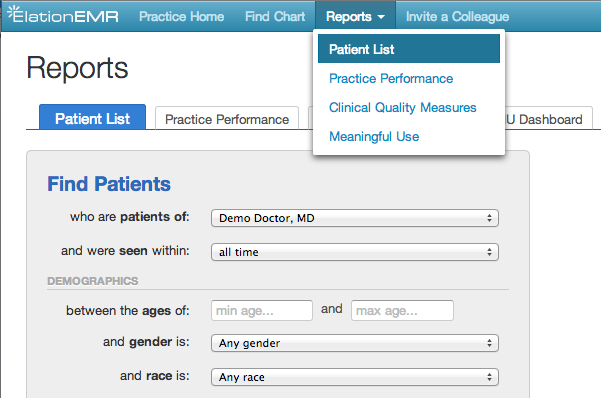
Search for patients that meet or do not meet specific clinical criteria, including:
- Active Problems
Add problems to this filter by name or ICD-9 code. Only patients that have your specified problems listed as Active in their Problem List will appear in the search results. - Most Recent Lab Results
Search for patients who have or do not have specific lab values for Hemoglobin A1c, Total Cholesterol, LDL-Cholesterol, HDL-Cholesterol, and Triglycerides only applies for patient charts that have “discrete” lab values, that is, lab values imported electronically into the chart and not just faxed) - Active Medications
Search for patients who have or do not have a specific medication listed in their active medication list. - Active Allergies
Search for patients with/without specific active allergies - Patient Tags
Search for patients with/without specific tags on their charts - Vaccinations
Search for patients who have or have not received a specific vaccination within the specified time frame - Document Tags
- Search for patients with/without specific tags on documents in their charts (insurance cards, types of visits, reports like colonoscopies)
For more information on this feature, check out our Help Center!
