


Hi Elation Community,
Whenever we can, we will post new features and tips for you to get the most out of your Elation experience. Here is what our developers have been working on recently. As always, if you have any suggestions or questions, feel free to contact our user success team.
New Features
- Save time writing lab orders by setting a default lab vendor
- Save even more time by typing the desired lab in an order form
- Embed links into patient letters
Save time writing lab order by setting a default lab vendor
You can now designate a default lab vendor that will populate the lab order form when it is opened.
To set a default lab, just go into your Settings, select Lab Orders, then scroll down to Lab Order Settings then select your Default Lab Vendor from the list of your practice’s Lab Vendors.
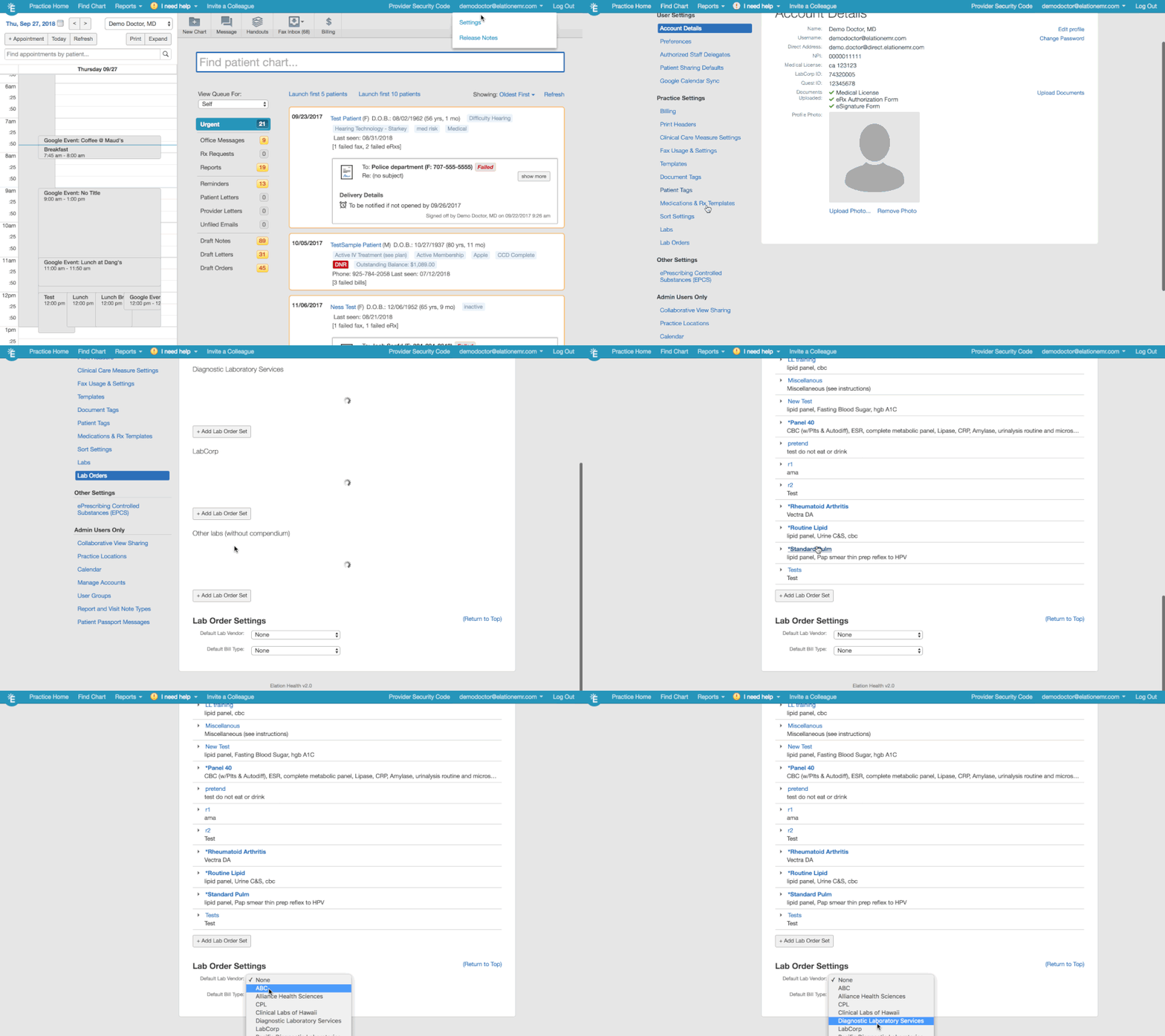
If you need a refresher on how to set lab vendors for your practice, you can find more info here: http://help.elationemr.com/customer/en/portal/articles/2952589-labs-settings
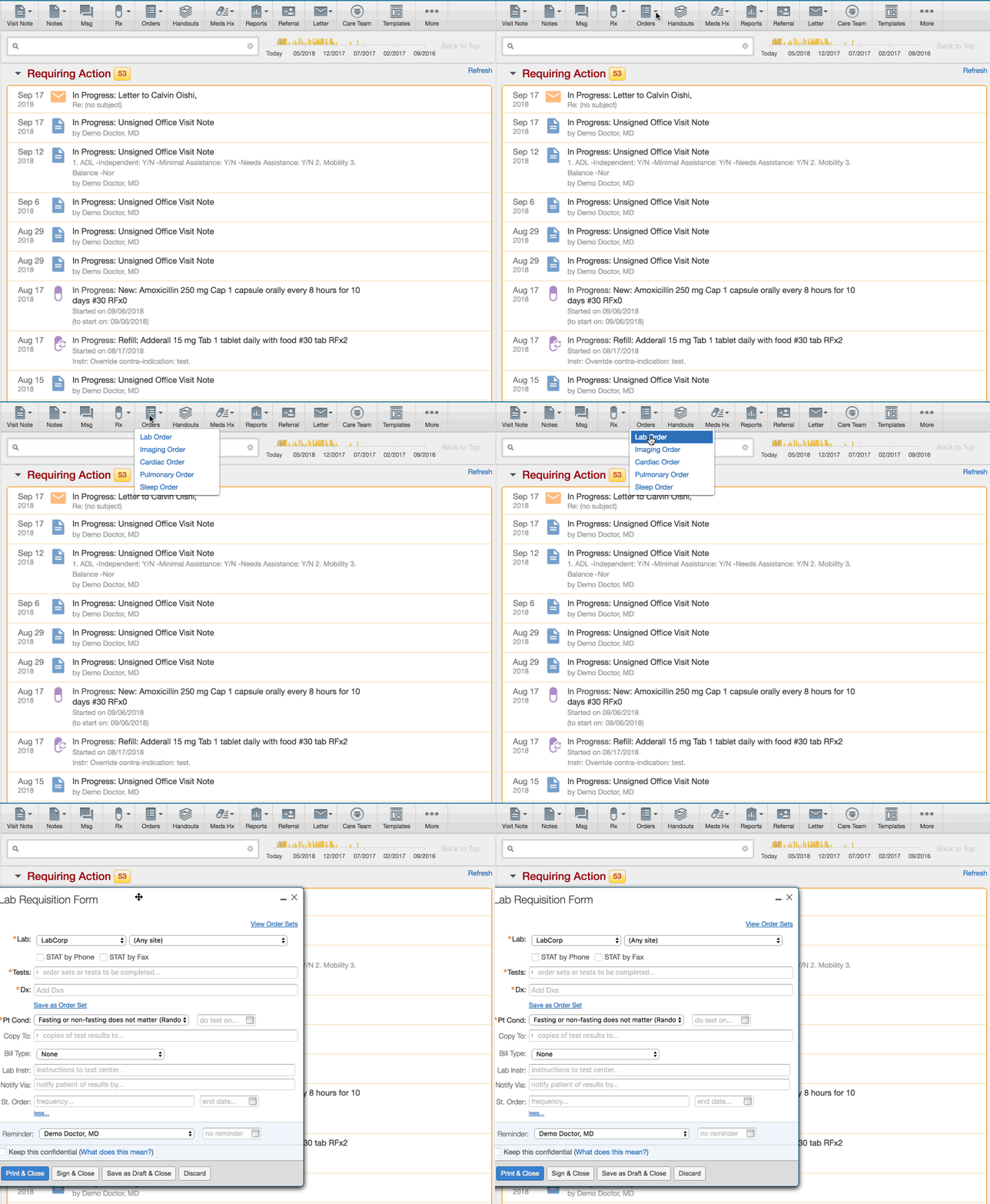
Save even more time by typing the desired lab in an order form
For those times when you need to send an order to a different lab vendor, you can start typing the name of the desired vendor when the lab order form opens to have the field update.
Embed links into patient letters
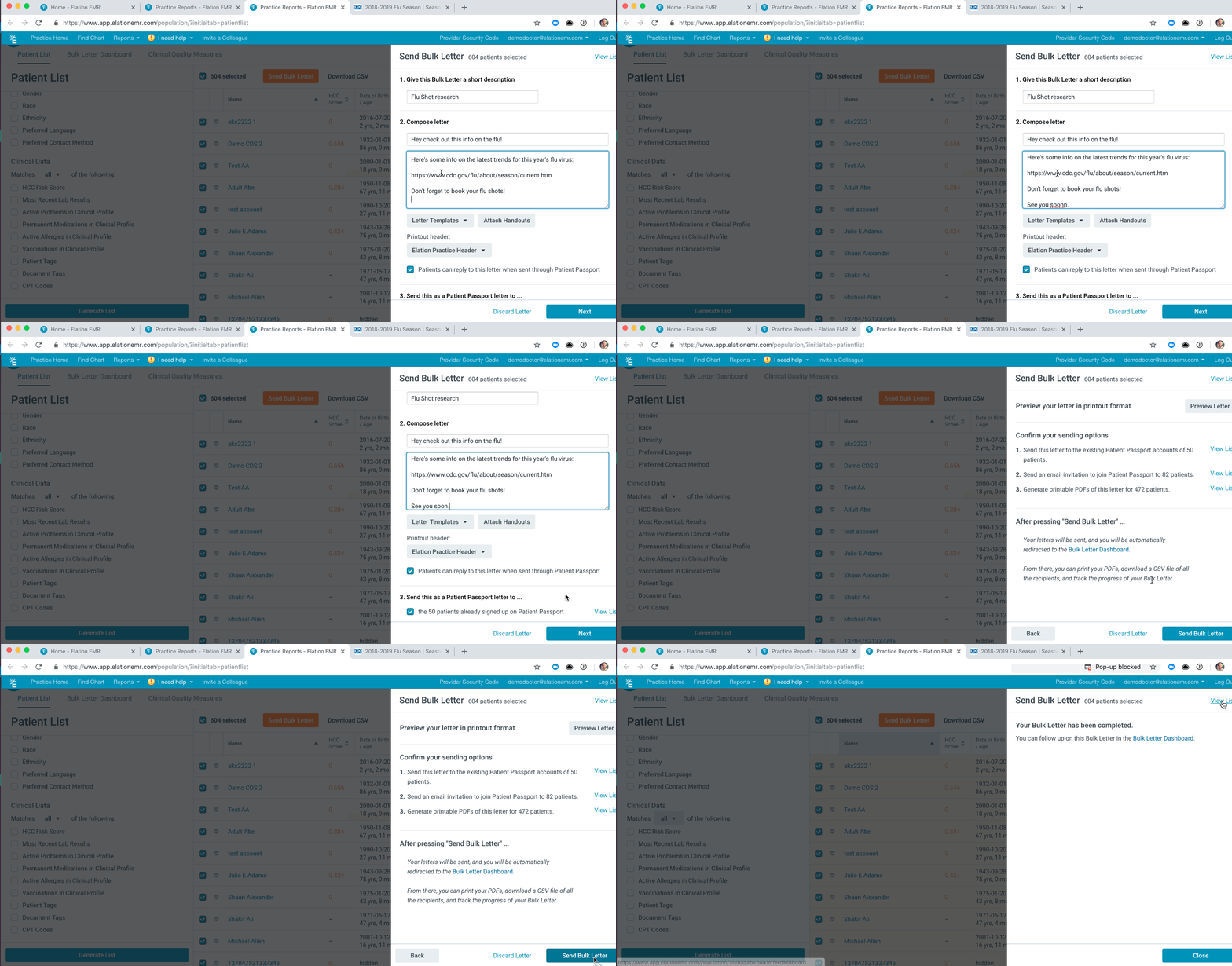
You can now embed a link into, individual or bulk, patient letters!
Just enter your message to a patient and include the relevant link.
Then when the patient receives the letter, the link will be clickable.
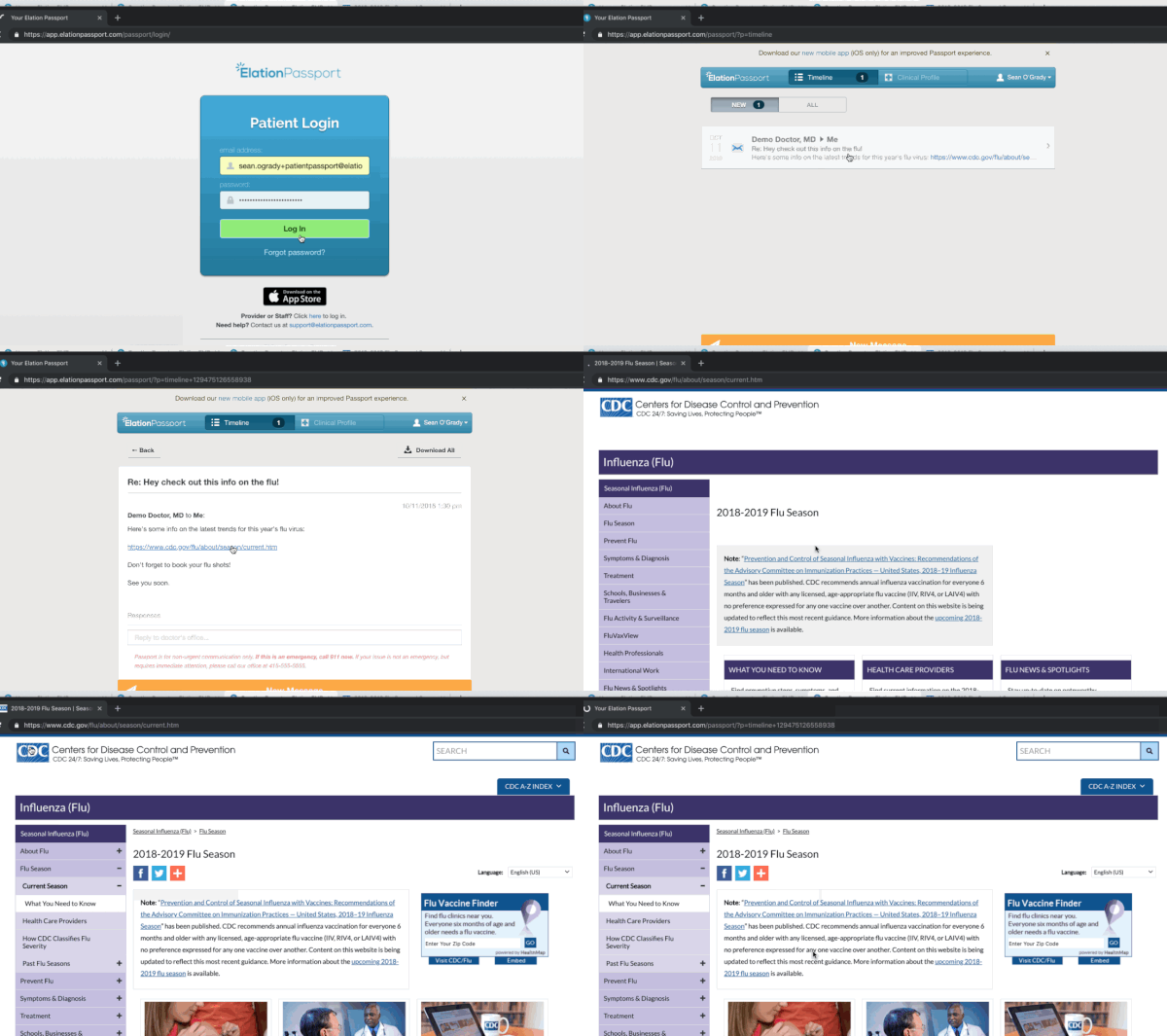
It’s just that easy!
